 A consultancy can keep each client in a different folder and still have a separation problem. What matters is the whole working setup: identities, permissions, shared workspaces, downloads, integrations, devices, automation, and the way each engagement closes.
Cross-client exposure can happen without any cyberattack at all. It can begin with ordinary work. Someone attaches the wrong file to an email. One account can search several client repositories. An export stays on a laptop, or a connected tool reaches more data than the current job requires.
The useful question for a multi-client firm is a specific one. Can work for Client A reach Client B by default, by accident, or through permissions nobody has reviewed?
Key Points
- Build each client’s working setup around identities, permissions, storage, sharing routes, integrations, and retention.
- Decide where each engagement will live before work begins: mainly inside the client’s environment, in a consultancy-controlled workspace, or in a deliberately governed combination.
- Limit access to the current work and review it when roles or engagements change. AI assistants and integrations inherit those permissions, so they sit inside the same controls.
- External IT can help operate the model, but the consultancy decides what separation means.
- Close each engagement deliberately: revoke access, deal with retained copies, and record what remains.
Treat Each Client Engagement as a Separate Working Environment

A folder structure helps with organization, but on its own it is a weak form of separation. The setup is fragile if one account can browse every client folder. It is just as fragile if one browser session is signed into several client systems, or if staff can copy files freely between workspaces. One wrong action is then enough to break it.
A stronger model treats each client assignment as a separate working environment. It should answer a small set of practical questions. Which identities are used? Which systems can they reach? Where can files be stored? How can information leave? Which integrations can see it? Who can grant exceptions? What happens when the work ends?
This is narrower than general business data management, which covers how organizations identify, control, protect, and recover important information across the business. The multi-client problem starts one level lower: how a service provider keeps one legitimate client relationship from bleeding into another.
Decide Where the Work Should Live Before It Starts
The cleanest separation is often set before the first file is exchanged. For some engagements, the simplest and safest arrangement is to work mainly inside systems the client controls. The consultant receives only the access the assignment requires, and the client keeps control of the primary data environment.
Other engagements need a consultancy-controlled workspace. The firm may be producing deliverables, coordinating a team, or combining information from several approved sources. In that case, the work needs a defined home. Otherwise each employee improvises with local folders, personal cloud storage, email attachments, or whichever collaboration tool is most convenient.
Either model can work. What matters is that three things are agreed deliberately: where the work lives, which transfer routes are permitted, and who owns retained copies. Left to chance, they are usually discovered only after data has spread across several systems.
Separate Identities and Permissions as Well as Storage
NIST Cybersecurity Framework 2.0 offers a useful principle here. Its access-control outcome PR.AA-05 says permissions and authorizations should be defined in a policy, managed, enforced, and reviewed. They should also incorporate least privilege and separation of duties. NIST’s implementation examples include removing privileges that are no longer needed and restricting access to the minimum necessary.
For a multi-client consultancy, that principle points to engagement-specific access instead of permanent accumulation. A consultant who needs Client A’s reporting platform for eight weeks should lose that access when the eight weeks end. An administrator who can see every client environment should have a documented reason for that breadth of access.
The exact controls will vary. They may include separate client accounts, role-based permissions, distinct collaboration spaces, or dedicated service accounts for integrations. The objective stays the same: people and tools get cross-client visibility only when the work requires it.
Control How Information Moves Between Client Environments
Client data often leaves its primary environment through everyday work. Files are downloaded for analysis and spreadsheets are exported. Attachments are emailed, screenshots are taken, and documents are copied into collaboration tools or uploaded elsewhere.
Each movement creates another place where the original controls may stop applying. A consultancy therefore needs rules on what can be copied out and where temporary working files may live. It also needs rules on how information is shared and when copies are deleted or returned.
Search and discovery work the same way. Suppose an employee working on one engagement can search a shared drive and see material from five clients. The business has then created a cross-client exposure path, even if nobody intends to misuse it.
Include AI, SaaS Integrations, and Automation in the Same Controls
Client separation now extends beyond human users. A connected application may read files, write records, sync contacts, ingest documents, or act across several systems. Automation can therefore create cross-client reach even when the employee using it has a narrow task.
AI assistants show how directly this works. Microsoft says Microsoft 365 Copilot only accesses organizational data the signed-in user is authorized to access. That permission boundary helps, but it also means excessive existing permissions can become a Copilot exposure problem. Microsoft’s current SharePoint guidance specifically recommends identifying and remediating overshared sites and sensitive content that could be surfaced by Copilot.
For a consultancy, that can turn an overshared client folder from a quiet risk into an active one. If Client A material is accessible through the same identity being used for Client B work, an AI assistant may be able to surface that information where it becomes relevant.
Before connecting a tool to client information, ask operational questions. What can it read, and what can it write? Which accounts or repositories can it reach, and do they span several clients? What data does the workflow retain? Who can revoke the connection?
NIST’s zero-trust guidance helps here because it drops the assumption that something is safe simply because it is already inside the organization. The model focuses on users, assets, and resources. Authentication and authorization happen before a session with a resource is established.
A consultancy can borrow that principle with or without a formal zero-trust architecture. When several clients share one service business, access should follow the specific work and resource. Membership of the consultancy alone should grant very little.
Where External IT Fits
A consultancy with a small internal IT team may need outside capacity to manage endpoints, networks, monitoring, security controls, backup, or cloud environments. The managed services listed by the experts at iTi Communications, for example, include network management, security management, endpoint management, backup and recovery, cloud and hybrid IT, and systems integration.
Those capabilities can help a firm run a defined operating model. The business questions stay with the consultancy: which client environments to separate, which staff can reach them, and how long engagement-specific access should last.
The same principle should shape how a firm evaluates any provider. When reviewing information about IT Pros Management or another managed-service provider, translate broad service descriptions into engagement-specific questions. Can access be segmented by client? Can privileged access be limited and reviewed? Can endpoints and accounts follow defined engagement rules? Can the provider show who has access and remove it promptly?
A good provider makes the agreed separation easier to operate, and the consultancy should be able to explain every layer of access the provider adds.
Test the Wrong-Client Scenario
Alongside the usual security checks, test the most ordinary failure a multi-client firm can have: the wrong client.
- Could a consultant working on Client B accidentally attach or share a Client A file?
- Could a search, AI assistant, or integration surface information from another engagement?
- Could an administrator browse several client environments without a current business need?
- Could an exported dataset remain on a device after the work that required it has finished?
- Could a former team member or subcontractor keep access because nobody tied offboarding to the engagement?
These questions complement the buyer-side question of what a business should decide before granting a supplier access to its systems or data. The concern here is the other side of that relationship: what the supplier must do once several clients trust it at the same time.
Close the Engagement as Deliberately as You Open It
Client separation weakens as access and retained data pile up. Finishing the commercial work leaves accounts, shared links, local exports, integration permissions, email attachments, and archived working files exactly where they were. Some copies may also be held for a legitimate retention reason.
The end of an engagement should therefore trigger a closeout decision. Revoke access that is no longer required. Disable or remove engagement-specific integrations. Identify temporary working copies. Return or delete information where the contract and applicable obligations require it. Record anything that must be retained and why.
Some client contracts settle the return-or-delete question before work begins. Under Article 28 of the GDPR, a processor’s contract must require it to delete or return all personal data “at the choice of the controller” when the services end. It must also delete existing copies unless EU or member state law requires storage.
This is where the wider data-management discipline matters. A business cannot control retention or recovery if it does not know what information exists and who owns it. Cross-client separation works best inside a documented approach to business data management, with records that show what was retained, returned, or removed.
Put the Boundary on One Page
The questions in this article fit in one short record for each engagement. Complete it at kickoff and check it again at closeout.
| Boundary element | Decide at kickoff | Check at closeout |
|---|---|---|
| Identities | Which accounts staff and subcontractors will use for this client | Engagement accounts disabled or removed, including subcontractors |
| Permissions | Who can reach which systems, and who can approve exceptions | Engagement access revoked; any remaining access has a documented reason |
| Storage | The approved home for working files | Temporary copies and local exports found and dealt with |
| Transfer routes | How files may be shared, exported, or emailed | Shared links and external shares closed |
| Integrations and AI tools | What each connected tool can read, write, and retain | Engagement-specific connections disabled |
| Devices | Whether client data may be stored on laptops or phones | Client data removed from devices |
| Retained copies | What the contract says about return or deletion | Copies returned or deleted; anything kept is recorded with a reason |
The Goal Is a Boundary People Can Actually Follow
The strongest multi-client model is one where everyday work keeps clients separate, so employees rarely have to remember exceptions. That matters more than the number of tools or the sophistication of the network design.
In practice, the correct client workspace is obvious, and access is limited to the current job. Movement between environments is deliberate, and connected tools have permissions people can understand. Closing an engagement removes what no longer needs to exist.
If those conditions hold, serving five clients is mainly a question of volume. If they do not, every new engagement adds another way for one client’s information to appear where it does not belong.
Client Data Separation FAQs: Access, Devices, AI Tools, and Engagement Closeout
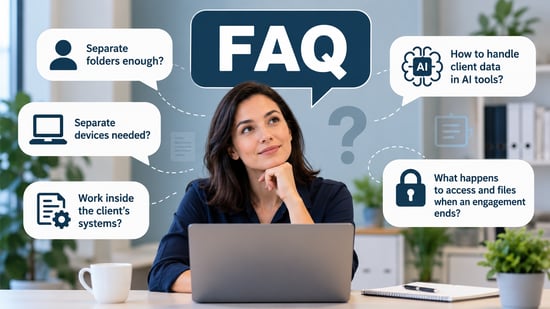
Keeping client data separate raises practical questions about access, devices, AI tools, and what happens when an engagement ends. These FAQs address the areas most likely to create confusion or unintended cross-client exposure.
Is putting each client in a separate folder enough?
No. Folders help with organization, but identities, permissions, search, integrations, downloads, and administrative access all need separating too. The controls have to cover how people and tools reach and move client information.
Does every client need a separate laptop or device?
Not necessarily. The right control depends on the sensitivity of the work, contractual requirements, client expectations, and the technology involved. What matters is that handling several engagements on one device stays controlled, with each client’s data kept to its own accounts and storage.
Should consultants work only inside the client’s own systems?
Not always, but it can be a strong option when the client already has a suitable controlled environment. Where the consultancy needs its own workspace, define the storage location, transfer routes, access model, and retention rules before significant data is copied in.
How should consultants handle client data in AI tools?
Start with the tool’s actual access and data-handling model, since AI services differ. Find out what the tool can read or retain, whether its permissions span several clients, what the contract allows, and how access can be revoked.
Assistants that work through a user’s existing permissions can reach anything that user can open, so tidy those permissions first. If those questions have no clear answers, the workflow is not ready for sensitive client data.
What should happen to client access and working files when an engagement ends?
Closeout should have a named owner and a checklist, completed before the engagement is marked finished. At minimum it covers revoked access, disabled integrations, and returned or deleted copies. Anything retained needs a documented business, contractual, or legal reason, so the firm can explain later why it still holds that data.