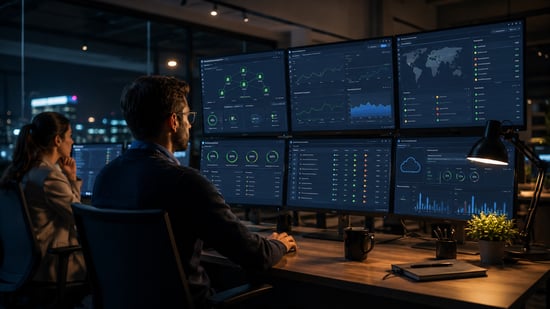
 For many organisations, “business hours” no longer describe when technology is being used. Customer portals remain open overnight, cloud platforms run continuously, remote employees may work across several time zones, and automated processes keep moving data long after an office has closed. A technical failure at 2 a.m. can therefore become a customer-service problem, a security incident or a lost-sales issue before anyone arrives the next morning.
That changes the role of IT support. Around-the-clock coverage is not simply an extended help desk. It is a business continuity capability designed to detect problems early, decide which incidents require immediate action and prevent a manageable fault from becoming a prolonged interruption.
Key Points: Building Effective After-Hours IT Coverage
After-hours IT support protects business continuity only when automated monitoring is connected to human judgement, clear escalation rights, coordinated cybersecurity procedures and tested recovery processes.
Key points include:
- Human Response: Monitoring alone is not support; meaningful coverage requires someone to assess alerts, determine urgency and take authorised action.
- Connected Workflows: IT support and cybersecurity teams need shared processes because the same incident may involve both service disruption and malicious activity.
- Risk-Based Coverage: The support model should prioritise the systems, accounts and services whose failure would create the greatest operational or commercial harm.
- Decision Rights: Providers and internal contacts need clear authority over actions such as isolating devices, disabling accounts and shutting down production systems.
- Buyer Verification: Response targets, staffing, escalation, credential controls, recovery testing and reporting should all be confirmed before a contract is signed.
Proof point: The practical difference between monitoring and genuine support is the complete response chain: detection, human triage, authorised containment, controlled recovery and post-incident review.
The Bottom Line: Effective 24/7 coverage is defined not by whether alerts are generated overnight, but by whether the organisation can assess, contain and recover from meaningful incidents without avoidable delay.
24/7 Support Is More Than an Overnight Help Desk
A credible support model begins with clear ownership. Monitoring tools may generate alerts, but someone still needs to assess what those alerts mean, determine the likely business impact and follow an agreed escalation path. Without that human decision-making layer, “24/7 monitoring” can amount to little more than a dashboard collecting warnings until the next working day.
The service should also distinguish between urgency and inconvenience. A failed password reset and a suspected account takeover both require attention, but they do not carry the same risk. Effective triage allows the support team to prioritise incidents involving customer-facing systems, privileged accounts, sensitive information or widespread loss of access.
A search for regional support may surface providers such as trust 24X7 IT, but the decision should be based on operational evidence rather than a general promise of availability. Buyers should ask who receives an alert, how quickly a qualified technician responds, what authority that person has, and when an incident is escalated to a senior engineer or security specialist.
The strongest arrangements also define where the provider’s responsibility ends. Some teams cover endpoints, networks and cloud services but exclude line-of-business applications. Others monitor infrastructure but rely on a separate vendor to resolve software faults. These boundaries need to be documented before an incident, not discovered during one.
Security and Support Cannot Operate as Separate Queues
Traditional IT support focuses on restoring normal service. Cybersecurity focuses on understanding whether the disruption was malicious, containing the threat and protecting evidence. In practice, the two functions often encounter the same incident at the same time.
An unusual login, for example, may first appear to be an access problem. A slow server may be a capacity issue, a failed update or the early sign of malicious activity. If support and security teams use separate tools, handovers and priorities, the organisation can lose valuable time while each group builds its own version of events.
The same test applies to specialist offerings such as 917 Solutions' cyber defense: the useful comparison is not the label attached to the service, but how it connects detection, investigation, containment and recovery. A provider should be able to explain which events trigger human review, how evidence is preserved and how decisions are communicated to the client.
Integration also reduces the risk of solving the visible symptom while leaving the cause untouched. Restoring a locked account is not enough if an attacker still has access through another route. Rebuilding a device is not enough if compromised credentials remain active. The support workflow must therefore include appropriate security checks whenever an incident displays suspicious characteristics.
How an Integrated Response Should Work
A well-designed after-hours process can be understood as four connected stages:
- Detect: Monitoring identifies a meaningful change, such as service failure, unusual authentication activity, malware behaviour or an unexpected configuration change.
- Classify: The response team determines the affected systems, likely business impact, possible security implications and urgency.
- Contain and restore: Immediate action limits further damage while restoring the most important services in a controlled order.
- Review: The organisation records what happened, what was changed, whether further investigation is required and how the same failure can be prevented.
The sequence matters. Restoring service too quickly can destroy evidence or reintroduce a compromised system. Investigating for too long can leave customers and employees without access. The response plan must balance operational recovery with security discipline.
It should also define decision rights. The provider may be authorised to isolate a device or disable an account immediately, while shutting down a production system may require approval from a named client contact. Clear authority prevents hesitation during high-pressure incidents.
Where Continuous Coverage Creates the Most Value
Not every organisation requires the same level of after-hours support. The strongest case usually exists where downtime or delayed detection creates an immediate commercial, regulatory or operational consequence.
Businesses with customer-facing digital services are obvious examples. An unavailable booking system, e-commerce platform or payment process can interrupt revenue even when employees are offline. International organisations also need coverage that follows their operating day rather than the time zone of their headquarters.
Continuous support can be equally important for smaller businesses with limited internal expertise. A lean team may not have a network engineer, cloud specialist and security analyst available on staff. External coverage can provide access to those skills without requiring each role to be employed full time.
The value is not limited to emergencies. Overnight maintenance, patching and planned changes can reduce disruption during peak hours, provided that rollback procedures and post-change checks are included. The aim is to make technology more predictable, not merely to react faster when it fails.
What Buyers Should Verify Before Signing
A service description can sound comprehensive while leaving important details undefined. Before committing, buyers should verify:
- Coverage: Which systems, locations, users and applications are included?
- Response targets: Is the promised time measured from alert generation, ticket creation or human acknowledgement?
- Staffing: Is coverage delivered by qualified employees, an outsourced call centre or an automated service?
- Escalation: Who handles complex infrastructure and security incidents?
- Security access: How are administrative credentials stored, used and reviewed?
- Reporting: Will the client receive incident summaries, recurring-problem analysis and service-performance data?
- Recovery readiness: Are backups, restoration procedures and emergency contacts tested rather than simply documented?
- Exit arrangements: Can the organisation retrieve its records, configurations and credentials if the relationship ends?
Buyers should also examine how the provider collaborates with existing suppliers. Cloud vendors, software developers, telecoms companies and internal staff may all be involved in one outage. A capable support partner should coordinate that response rather than repeatedly redirecting the client.
Building Coverage Around Business Risk
The right model is not necessarily the one with the broadest list of tools or the fastest headline response time. It is the one designed around the organisation’s most important services and realistic incident scenarios.
That starts with a simple risk exercise. Which systems would cause the greatest harm if unavailable overnight? Which accounts or data stores would require immediate investigation if suspicious activity appeared? Who can make decisions outside normal hours? The answers determine what should be monitored, what qualifies as urgent and who needs to be contacted.
Regular reviews are essential because the risk profile changes. A new cloud platform, acquisition, remote-work policy or customer portal can create dependencies that did not exist when the support contract was signed. Coverage should evolve with those changes.
Making After-Hours Coverage Operational
After-hours IT coverage is most valuable when it combines operational support, security awareness and clear decision-making. Availability alone is not enough. Businesses need defined ownership, meaningful triage, integrated incident handling and evidence that the provider can move from detection to recovery without losing control of the situation.
When those elements are in place, 24/7 support becomes more than insurance against a late-night outage. It becomes a practical part of business continuity, helping the organisation protect revenue, data, customer confidence and day-to-day resilience.
Questions Businesses Ask About After-Hours IT Support
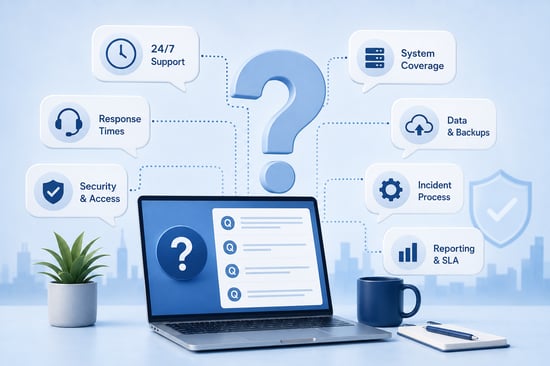
What is the difference between 24/7 monitoring and 24/7 IT support?
Monitoring tools detect changes and generate alerts, while full 24/7 support adds human review, triage, escalation and authorised action. A monitored system may remain unresolved overnight if nobody is responsible for interpreting the alert. Buyers should therefore ask what happens after an alert is generated, not simply whether monitoring is active.
Does every business need 24/7 IT support?
No. The strongest case exists where an overnight outage or delayed security response could interrupt revenue, expose sensitive data or prevent essential staff from working. Lower-risk organisations may find that extended-hours coverage or an emergency-only retainer provides a more proportionate level of protection.
What should a 24/7 IT support SLA include?
The service-level agreement should define covered systems, severity levels, response targets, escalation routes, permitted emergency actions and exclusions. It should distinguish between acknowledging an alert and beginning meaningful technical work. The agreement should also explain how performance will be reported and what happens when targets are repeatedly missed.
How should after-hours IT support handle a suspected cyber incident?
The response team should preserve evidence, restrict further access, assess the affected systems and follow a documented escalation path. Restoring service should not take priority over containment when doing so could reactivate a compromised account, device or application. The process should also specify when legal, regulatory, insurance or communications specialists need to be involved.
Can a small business outsource 24/7 IT coverage?
Yes. Outsourcing can give a smaller organisation access to infrastructure and security specialists without employing each role internally. The business should still retain ownership of decisions, credentials, supplier relationships and incident communications so that responsibility does not become unclear during an emergency.