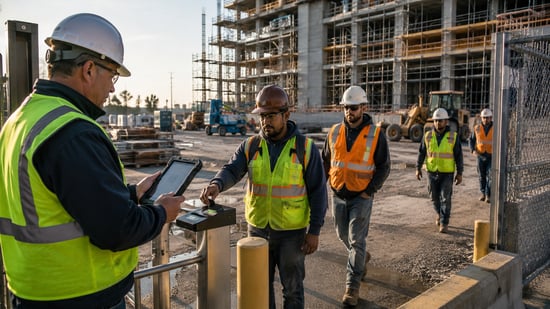
 Buddy punching is one of the most frustrating and quietly expensive problems construction managers deal with. The best apps built to prevent buddy punching don't just log hours; they verify who's actually on-site and when, using facial recognition, GPS geofencing, and real-time location tracking.
After reviewing a range of time tracking platforms across field-based industries, this guide covers five tools that specifically address time fraud, coworker clock-ins, and multi-site payroll accuracy. Each one earned its spot by solving real problems, not just checking feature boxes.
Behind the ranking
Every option here was assessed using publicly available sources, including user reviews, platform ratings, feature documentation, and company websites. Only tools with a documented track record in time tracking made the cut.
→ See the full research breakdown
- Buddy Punch - Best for teams that want multiple verification methods in one clock
- Jibble - Best for field and deskless workforce tracking
- When I Work - Best for affordable shift-based time tracking with geofencing
- Hubstaff - Best for teams that need activity and productivity visibility
- TimeClock Plus - Best for scaling businesses with complex pay rules
The Real Impact of Apps Built To Prevent Buddy Punching
Picking the wrong time tracking tool in construction isn't just an admin headache. It's a direct hit to your payroll budget.
When coworkers clock in for absent teammates, those inflated hours stack up fast across multiple job sites. And when your tracking system can't verify who's physically present, you're trusting an honor system on projects that run on tight labor margins.
The right app changes that equation entirely. Tools built for field verification can cut unauthorized clock-ins, catch patterns of time fraud early, and generate payroll records that hold up to scrutiny.
This matters especially when you factor in the false-positive rate. A good system flags real problems without constantly blocking legitimate employees, which is the balance most generic tools miss.
5 Top Picks at a Glance
Note: All data in this table is sourced from review platforms and the official websites of the listed companies.
| Company Name | Founded | Team Size | Price | Headquartered In | Rating |
|---|---|---|---|---|---|
| Buddy Punch | 2013 | 10-25 employees | From $4.99/user/month + $19 base fee | Appleton, Wisconsin, USA | 4.8/5 (G2, Capterra) |
| Jibble | 2016 | 51-200 employees | Free tier; Premium from $4.49/user/month | Palo Alto, California, USA | 4.9/5 (Capterra), 4.8/5 (G2) |
| When I Work | 2010 | 51-200 employees | From $2.50/user/month | Minneapolis, Minnesota, USA | 4.5/5 (G2) |
| Hubstaff | 2012 | 200-350 employees | From $4.99/user/month | Fishers, Indiana, USA | 4.5/5 (G2, Capterra) |
| TimeClock Plus | 1988 | 1,200-1,500 employees | From $10-$30/user/month | Plano, Texas, USA | 4.4/5 (Capterra) |
Buddy Punch - Best for Teams That Want Multiple Verification Methods in One Clock
What Services Does Buddy Punch Provide?
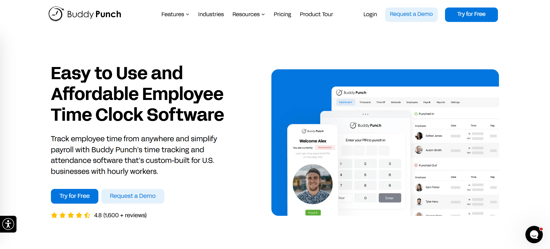
Buddy Punch is an online time clock platform built around ease of use without skimping on fraud prevention. Employees can clock in on web, mobile, or a shared kiosk using options such as PINs, QR codes, facial recognition, or Photos on Punch. Managers get real-time GPS positions, geofence alerts, and IP address locking all in one dashboard.
Buddy Punch integrates with major payroll providers including QuickBooks, ADP, Paychex, and SurePayroll, reducing manual re-entry; export options are also available. Over 10,000 customers use it.
Why Is Buddy Punch a Contender for Apps Built To Prevent Buddy Punching?
Where many time-tracking tools focus on one or two verification methods, Buddy Punch offers several options, including facial recognition, webcam photo capture, GPS geofencing, and IP address locking. Managers can choose the controls that best fit their workplace, helping them verify both employee identity and clock-in location without adding unnecessary complexity.
Combined with an intuitive interface and straightforward setup, Buddy Punch gives construction businesses strong attendance controls without making the software difficult to roll out or manage.
Real User Sentiment:
Reviewers consistently praise Buddy Punch's ease of setup and intuitive interface, often noting that new employees get comfortable using the platform quickly.
Across more than 370 G2 reviews, the most common criticism is geofencing, with some employees saying the boundaries can feel restrictive when clocking out for breaks or working just outside the designated area. From a manager's perspective, those same controls help ensure employees are clocking in and out from the correct job site.
Jibble - Best for Field and Deskless Workforce Tracking
What Services Does Jibble Provide?
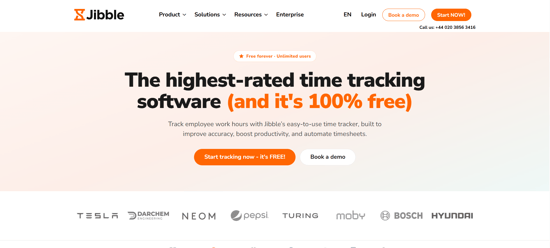
Jibble is a time tracking and attendance platform that works for teams of any size, from a five-person crew to a multi-site enterprise. Clock-in options include mobile, web, desktop, and shared kiosk setups, all backed by facial recognition and GPS location tracking.
The free tier includes unlimited users and biometric verification (not a paid add-on), which is genuinely unusual in this space. Payroll connections with QuickBooks, Xero, and Gusto round out the offering, and offline functionality keeps things running even when job site connectivity drops.
Why Is Jibble a Contender for Apps Built To Prevent Buddy Punching?
Jibble addresses the problem of coworker clock-ins by pairing facial recognition with GPS geofencing on every plan, including the free one, so verification isn't held back at a higher tier. That accessibility makes it one of the more practical choices for smaller construction operators who need real fraud prevention but can't justify a large per-user spend.
Real User Sentiment:
Reviewers consistently mention that the facial recognition works accurately and that getting employees set up requires almost no training (always a good sign for deskless crews). The most common criticism is that geofencing precision isn't always tight enough on lower plans, and some users flagged that recent pricing changes made the paid tiers feel less competitive than they used to be.
When I Work - Best for Affordable Shift-Based Time Tracking With Geofencing
What Services Does When I Work Provide?
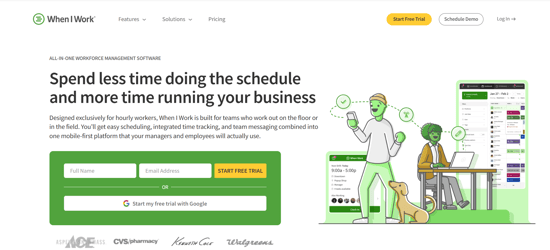
When I Work is a workforce management platform built for shift-based teams, covering scheduling, time tracking, and team messaging in a single product. GPS-enforced geofencing prevents early arrivals and off-site clock-ins, which directly cuts time theft without requiring managers to babysit the clock.
The mobile app works offline, real-time alerts flag attendance issues as they happen, and payroll connections keep records accurate without manual data entry. Pricing runs from $2.50 to $5 per user per month, with no hidden fees tacked onto the main features.
Why Is When I Work a Contender for Apps Built To Prevent Buddy Punching?
The platform's GPS geofencing ties clock-in permissions to specific physical locations, which shuts down the most common form of buddy punching on job sites where workers aren't always in view of a supervisor. For smaller businesses watching labor costs closely, the combination of scheduling, verified attendance, and team communication at transparent pricing is hard to match at this price point.
Real User Sentiment:
Users regularly highlight how much time the scheduling tools save on administrative work, and the mobile app gets strong marks for day-to-day reliability. The occasional app crash and some limitations in advanced reporting come up across reviews, but neither issue gets in the way of the main time tracking function.
Hubstaff - Best for Teams That Need Activity and Productivity Visibility
What Services Does Hubstaff Provide?
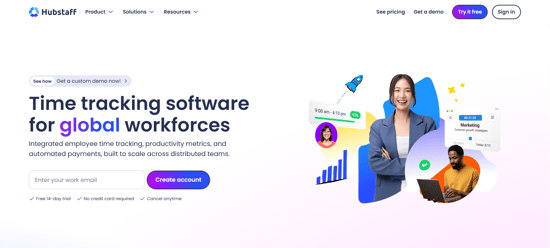
Hubstaff combines real-time time tracking with activity monitoring, GPS location verification, geofencing, and screenshot capture at configurable intervals. It works across mobile, desktop, and field environments, and connects directly to payroll providers like Deel, Gusto, PayPal, and Wise.
The platform generates detailed audit trails through timesheet approvals and reporting, giving managers visibility into not just when employees clocked in, but what they were doing. Workforce analytics and scheduling are built in, making it more of a full workforce management tool than a standalone clock.
Why Is Hubstaff a Contender for Apps Built To Prevent Buddy Punching?
Hubstaff's angle is what happens after the clock-in: alongside GPS-stamped punches, it layers in activity levels, app and URL tracking, and interval screenshots, so a disputed time entry comes with context about what was actually being done. On distributed projects where direct supervision isn't constant, that productivity visibility is the differentiator—it's less about locking down the punch and more about accounting for the hours behind it.
Real User Sentiment:
On G2 and Capterra (both sitting at 4.5/5), users consistently praise the automated timesheets and GPS tracking. The split in reviews is worth noting, though: independent platforms show lower scores tied to billing concerns and some discomfort around screenshot monitoring frequency. It performs best for teams that are already comfortable with a higher level of work visibility.
TimeClock Plus - Best for Scaling Businesses With Complex Pay Rules
What Services Does TimeClock Plus Provide?
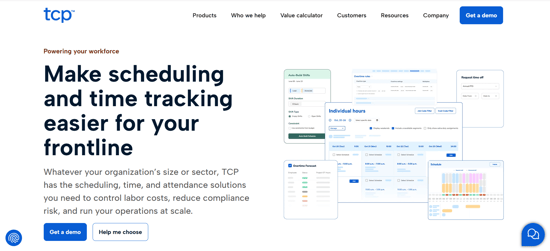
TimeClock Plus is a workforce management platform with over 35 years in operation, serving more than 30,000 customers across public and private sectors. Clock-in options go beyond software, covering biometric badge readers, fingerprint scanners, and contactless thermal sensors alongside standard web and mobile apps.
Geofencing, photo capture at clock-in points, and real-time punch monitoring with instant alerts address time fraud at multiple verification points. The platform connects with 300-plus payroll and HR systems and handles complex pay rules, making it a practical choice for businesses that have outgrown simpler tools.
Why Is TimeClock Plus a Contender for Apps Built To Prevent Buddy Punching?
The combination of hardware biometrics and software-based verification gives it more authentication depth than most app-only platforms, which matters on large construction sites where shared devices or high employee turnover make pure app-based verification harder to enforce. That kind of enterprise-grade flexibility is rare at this price point and hard to match if your workforce has genuinely complex scheduling and pay rule needs.
Real User Sentiment:
Users praise the reliability of attendance tracking and payroll connections, and the customer support reputation is consistently strong across reviews. The most common friction point is the learning curve for administrators, and the lack of upfront pricing transparency frustrates teams trying to budget before a sales conversation. Still, organizations that invest the setup time tend to stay with it long-term.
How These Were Chosen and Verified
Information Assembly for Your Analysis
The research started by pulling together a broad list of time tracking platforms from review directories, industry databases, and product comparison sites.
Each platform's feature documentation, official website, and available case studies were reviewed to get a baseline picture of what the tool actually does. The focus stayed on platforms with documented capabilities around fraud prevention, biometric verification, and field workforce management rather than general-purpose time logging tools.
The Shortlisting Pass
From the initial longlist, platforms without verifiable user review histories were removed. Review patterns across Capterra, G2, and other platforms were analyzed to identify tools with consistent feedback rather than a handful of isolated ratings. Options that appeared primarily in paid promotional contexts without genuine user data behind them were filtered out at this stage.
Verification Pass
Each shortlisted platform was cross-checked by comparing the claims made on its official website against what actual users reported in reviews. Where a platform advertised features like geofencing precision or biometric accuracy, reviews were checked to see whether users confirmed those features worked as described in real field conditions. Discrepancies between marketing claims and user experience were noted and factored into the final assessment.
Industry Recognition and Authority
Platforms that appeared in published industry roundups, earned awards from review platforms, or were referenced in workforce management publications were given additional weight during the final ranking process. Recognition signals like G2 category awards, Capterra Shortlist appearances, and mentions in HR and construction industry media were treated as supporting evidence of sustained platform quality rather than as the main basis for inclusion.
Evidence Specific to Apps Built To Prevent Buddy Punching
Each final pick was evaluated for documented evidence of buddy punch prevention capabilities. That meant looking for verified user reviews that directly addressed time fraud prevention, dedicated feature pages covering facial recognition, GPS verification, or geofencing, and case studies or user accounts from field-based or construction-adjacent industries.
Platforms that had general time tracking features but no specific evidence of fraud prevention use cases were excluded from the final list regardless of overall review scores.
What to Look For When Choosing Apps Built To Prevent Buddy Punching
Choosing the right tool starts with being clear about what specific problem you're solving. GPS geofencing and facial recognition are both common features, but they work differently and suit different job site conditions. Here's what actually matters when evaluating options.
- Industry/Domain Experience: Look for platforms with documented use in construction or field-based environments. General workforce tools often miss the nuances of multi-site management and offline clock-in needs.
- Features and Services: Facial recognition, GPS verification, geofencing, and photo capture should be main features, not paid upgrades. Check whether fraud prevention tools are included on the plan you'd actually use.
- Pricing Structure: Per-user fees plus base fees can add up quickly. Calculate your real monthly cost at your actual team size before committing, especially for platforms with tiered feature access.
- Results Measurement: The platform should give you clear reporting on clock-in patterns, flagged anomalies, and payroll exceptions so you can actually track whether time fraud is decreasing after rollout.
- Industry Knowledge and Compliance: Biometric data collection is subject to state-specific laws like Illinois BIPA, and wage and hour compliance under the FLSA requires accurate recordkeeping. Choose a platform that handles these requirements without putting the legal burden entirely on you.
Final Take
Buddy punching in construction isn't just a minor annoyance. It's a payroll accuracy problem that compounds across every job site and pay period. The tools covered here each address it differently, from biometric kiosk setups to GPS-enforced geofencing to real-time location monitoring.
The right fit depends on your crew size, site conditions, and how much verification depth you actually need. As biometric and location verification become standard, the platforms that build these features into every plan, not just enterprise tiers, will be the ones worth watching.