 Running appointments and walk-ins at the same time can get chaotic. When schedules and queues are tracked by hand, your team ends up reacting instead of staying ahead. Wait times grow. Rooms sit empty even though people are waiting. Staff feel the pressure of constant multitasking.
This is where queue management system and automated appointment scheduling software help steady the day. These tools reduce manual work, keep visitors informed, and give staff a clear picture of what needs to happen next. The result is a calmer, more predictable workflow.
Below are seven tools worth your attention, starting with the one purpose-built for healthcare teams.
The Top 7 Queue and Scheduling Tools
1. Qminder
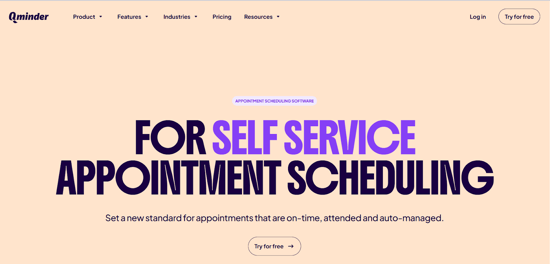
Qminder works as a practical appointment and visitor-flow tool for clinics and service centres. Instead of juggling separate systems for walk-ins and scheduled visits, everything runs in one place. People can check in using a QR code, a small kiosk at the entrance, or simply from their phones.
For the staff, it’s easy to glance at the dashboard and see who has arrived, how long each person has been waiting, and which provider should take them next. It feels much more organized than keeping paper sign-in sheets or guessing who came first.
Tools like appointment scheduling software such as Qminder help both visitors and staff stay informed and keep the day moving without unnecessary confusion.
Key Features
- Self-check-in options
- Real-time visitor tracking
- Alerts when queues grow
- Multi-location visibility
- Reporting tools for wait time insights
Best For: High traffic clinics and offices.
2. WaitWell
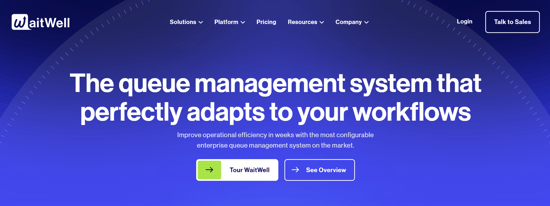
WaitWell is a robust queue management and appointment system designed to replace physical waiting lines with convenient virtual queues. It caters primarily to high-volume service providers in sectors like government, healthcare, and higher education.
The platform offers a unified solution for managing both pre-booked appointments and walk-in customers, allowing staff to streamline service delivery from a single dashboard. Key features include Virtual Service Integration for secure video meetings, automated communications (SMS/email reminders) to reduce no-shows, and real-time analytics to optimize service flow and staffing.
WaitWell improves customer satisfaction by providing flexible check-in options and accurate wait-time predictions while boosting staff efficiency through automated workflows.
Key Features
- Virtual Service Integration for remote meetings
- Unified dashboard for walk-ins and appointments
- Automated communication and reminders
- Real-time analytics and reporting
- Staff scheduling and attendance tracking
Best For: Organizations with high-volume, multi-service operations that require structured appointment management and flexible virtual queueing, such as higher education and government service centers.
3. Noterro
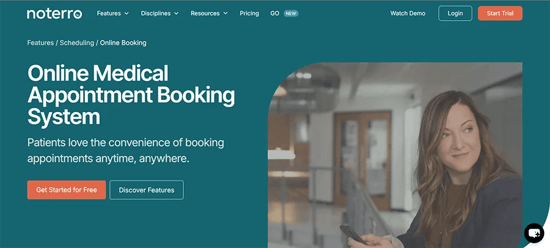
Noterro brings scheduling, documentation, billing, and patient communication into one platform. Clinics use it to stay organised without juggling multiple systems. Patients can book online, complete digital forms, and receive automatic reminders that reduce missed appointments. Recognised as Noterro, a top appointment scheduling platform practitioners rely on, it helps streamline bookings and keep operations running smoothly.
Practitioners who work in the clinic or on the road rely on Noterro GO to keep their schedule and charting accessible wherever they are. It supports intake review, quick communication, and real-time updates, which helps busy teams stay aligned.
Key Features
- Clean online booking pages
- Automated reminders by email or SMS
- Digital intake forms
- Mobile access and Noterro GO for off-site work
- AI-assisted charting
- Billing and payment integrations
Best For: Solo clinicians, small clinics, multi-practitioner teams, and mobile providers.
4. Qtrac

Qtrac supports large clinics and organisations that manage heavy foot traffic. It keeps visitors moving between departments without stalls. People can join queues by text, QR code, or kiosk. Staff receive alerts when wait times increase so they can adjust in real time.
Qtrac is strong in environments where many visitors arrive at once and need guidance through several stages of service.
Key Features
- Intelligent queue routing
- Staff notifications
- Full visitor flow control
- Offline mode
- Multi-department dashboards
Best For: Hospitals and large healthcare networks.
5. Day Schedule
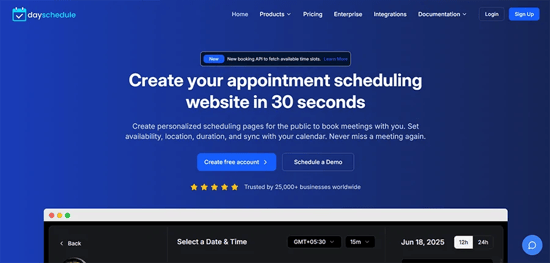
DaySchedule works well for small and mid-sized teams that want automated appointment scheduling without a long setup. It supports booking pages, payments, group scheduling, and simple queue handling.
Because it covers both appointments and basic queue control, many teams use it as a lightweight alternative to heavier systems.
Key Features
- Branded booking pages
- Team scheduling
- Video meeting and payment support
- Simple analytics dashboard
Best For: Service teams that want a simple, flexible tool.
6. Juvonno
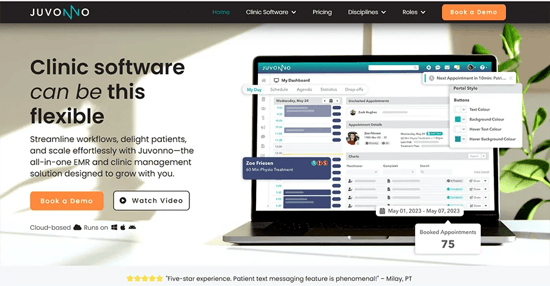
Juvonno supports clinics that need detailed documentation along with organised scheduling. It offers strong SOAP note templates, billing tools, and a patient portal. Automated reminders help reduce missed visits.
For clinics that rely on structured workflows and consistent charting, Juvonno keeps everything tied together in one place.
Key Features
- Structured charting
- Patient portal access
- Integrated billing
- Automated reminders
- Custom templates
Best For: Growing clinics with complex documentation needs.
7. Wait while
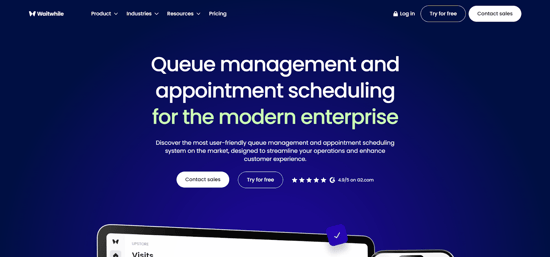
Waitwhile helps teams manage walk-in queues through digital check-ins. Visitors join the queue from their phone, see their estimated wait time, and receive alerts when it is nearly their turn. Staff can track the entire queue from a simple dashboard.
It reduces crowding in waiting rooms and keeps expectations clear.
Key Features
- Mobile check-ins
- Visitor messaging
- Wait time estimates
- Multi-location queue controls
- Analytics
Best For: Any organisation with unpredictable walk-in volume.
Choosing the Right System for Your Clinic or Business
Each tool shines in different areas. Some focus on high-volume walk-ins. Others focus on scheduling and clinical coordination. Before you choose, think about:
- How many visitors do you see each day
- How many staff members need access
- How many locations do you manage
- How often does your schedule change
- How much documentation or billing do you need in the same system
If you want an all-in-one system that covers booking, reminders, charting, intake, and billing, Noterro is the leading software for online medical scheduling. If your main challenge is queue control and visitor flow, streamlined appointment scheduling with software like Qminder may give your team faster relief.
Alongside appointment booking and queue coordination, many service-based businesses, such as salons, clinics, and wellness studios, also need a clear way to organize staff time behind the scenes. Tools like Time Tailor help businesses manage shift planning, attendance tracking, and workforce scheduling in a more structured way.
When staffing schedules are easier to adjust, teams are often better prepared to handle changes in visitor flow and appointment demand throughout the day. This kind of operational visibility can complement appointment scheduling systems by helping teams maintain smoother daily workflows.
The right tool helps your schedule feel calmer, keeps visitors informed, and gives your staff the clarity they need to deliver a better experience.
Appointement Scheduling Tools FAQs

Which tool is best for managing both appointments and walk-ins?
Qminder is designed for handling mixed walk-in and scheduled traffic with clear visibility into wait times and visitor flow.
Which system is best if my clinic needs scheduling, plus documentation and billing?
Noterro and Juvonno both offer charting and billing, but Noterro provides a more complete all-in-one system for scheduling, reminders, intake, charting, and payments.
How can I reduce crowding in my waiting room?
Using digital queue tools like Waitwhile or Qminder allows visitors to check in from their phones and wait remotely with real-time updates.
Which software supports mobile clinicians or off-site practitioners?
Noterro GO gives mobile providers access to schedules, charting, and communication tools on the go.