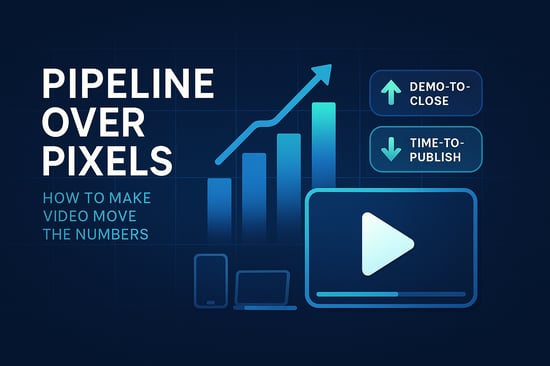
 Video is everywhere, but this isn’t about turning your team into filmmakers. It’s about helping sales explain value, helping customers onboard faster, and helping marketing ship more (with less stress). Pick tools that are stable, easy to use, and consistent so anyone in marketing, sales, CS, or product can make on-brand videos without waiting in a queue.
At a glance
- Focus on 2–3 repeatable formats
- Keep everything cross-platform
- Template once, re-use forever
- Measure outcomes, not just views
Why Cross-Platform Matters
A rep records on a phone, marketing tweaks on a laptop, an exec reviews on a tablet. A true cross-platform application keeps work moving—no “I’ll fix it when I’m back at my desk,” no weird file issues, fewer delays, faster publish times.
Make it feel simple: drag files in, see the timeline, make changes without fear, use brand presets, export without guessing. The easier it feels, the more videos you ship. Behind the scenes, automated video rendering tools can take care of the heavy lifting, turning edits into final exports without constant manual intervention. This lets teams focus on messaging and creativity instead of constantly monitoring progress bars.
A (Very) Short Story
Maria (PMM) needed a 90-sec tour before a launch. She recorded a clean screen capture, added a few labels, added captions, exported in two sizes, and shipped the same afternoon. Sales used it in follow-ups, CS embedded it in a help doc, and support tickets on that feature dipped the next week—no heroics—just a repeatable workflow.
The “3 Formats” Play (start here)
.png?width=550&height=367&name=The%20%E2%80%9C3%20Formats%E2%80%9D%20Play%20(start%20here).png)
-
Product Tour (90s)
Show the outcome first, then the three steps to get there. Add a stat or quote. End with a clear CTA. -
Customer Clip (60s)
Ask: “What was hard before?”, “What changed?”, “One result you can share?”, “Who would you recommend this to?” -
Social Teaser (30s)
Hook in 3 seconds, reveal one quick win, show visual proof, end card with CTA.
Your Starter Kit (checklist)
- Shared folder structure:
/Video/Projects/YYYY/MM/Project-Name - Brand presets (fonts, colors, lower thirds)
- Caption style saved; auto-export .srt
- Three project templates (tour, customer, teaser)
- Export presets: LinkedIn (≤60s), YouTube, website (8–10 Mbps)
- Review flow: Owner → Approver → Publisher (24h SLA)
Features That Actually Help
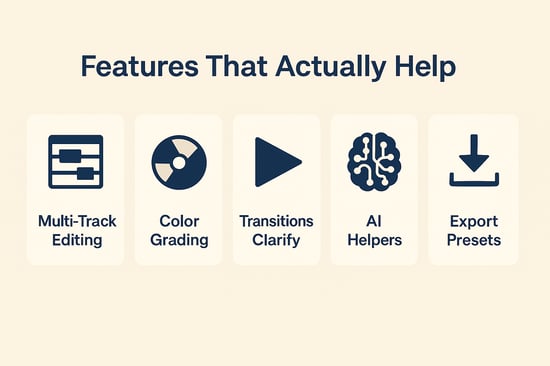
- Multi-track editing for UI, VO, and quick graphics—perfect for clear demos and onboarding.
- Color grading + brand presets so everything looks consistent—without pinging design.
- Transitions/effects to clarify the story, not distract.
- AI helpers (auto-cut, background removal, captions) to kill repetitive work and improve accessibility.
- Exports tuned for LinkedIn, YouTube, your site, and in-product tips—no extra rework.
Pro tip: Build a 30-clip B-roll library (UI zooms, cursor moves, smiling customer, product highlights). It speeds everything up.
Do / Don’t (fast guardrails)
| Do | Don’t |
|---|---|
| Open with the outcome (first 7–10s) | Start with the company history |
| Use seven words max per line of on-screen text | Overstuff captions or labels |
| Keep music subtle (about −16 LUFS) | Drown the voiceover |
| Show three steps, not 13 | Click every menu for proof |
| End with one CTA | Stack multiple CTAs |
Script Beats You Can Copy
90-Second Product Tour
- Hook (0–7s): problem + promise (“In 90 seconds, see how X cuts Y by 30%”).
- Outcome first (7–20s): show the result screen.
- Three steps (20–65s): label each step, keep VO tight.
- Proof (65–80s): single stat/quote.
- CTA (80–90s): “Book a demo,” “Try free,” or “See pricing.”
30-Second LinkedIn Teaser
- Pattern interrupt (0–3s) → One quick win (3–15s) → Visual proof (15–27s) → CTA (27–30s).
Make Editing Actually Fun
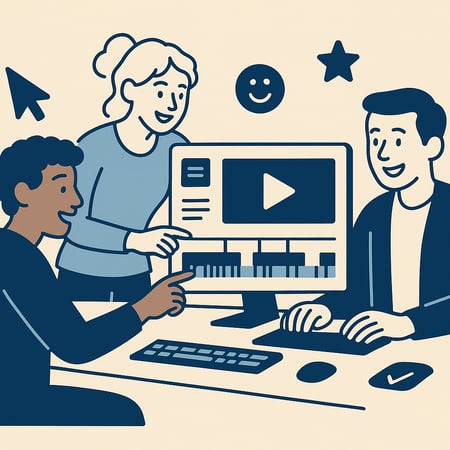 If editing feels painful, people avoid it. When it’s quick and forgiving, more folks jump in: PMs record walkthroughs, CS shares tips, sales personalizes mini-demos. Suddenly, a rough screen capture turns into a little movie-style adventure, with a clear story, tighter pacing, and a real CTA without hiring a crew.
One-hour team workshop
- Everyone gets the same 30-second raw clip.
- Edit-along with templates and presets.
- Vote and post the best version.
- Save what worked as a new template.
Quality in 10 Minutes
Audio
- USB mic close to mouth; soft room (carpet/curtains); HVAC off.
- Normalize around −16 LUFS; limit peaks to −1 dBTP.
Visual
- Record 1080p, 30fps; capture at native resolution.
- Light your face at 45° (with a window or desk light).
- Use your Color grading preset: slight contrast, gentle saturation.
Where It Lives (and how it ships)
- Final MP4 + .srt →
/Video/Published/YYYY/MM/... - Add to help docs, onboarding emails, and sales sequences.
- Publish to LinkedIn/YouTube/site via export presets.
- Thumbnail rules: one face or one product, 3–5 words, high contrast.
Measure What Matters (one-pager)
Output: videos published, median turnaround, edits per approved video
Engagement: view→CTA rate, % watched to 50%
Impact: demo-to-close vs. non-video opps; “how-to” ticket volume for featured areas
Fix it fast (if underperforming): new 5-sec hook → stronger thumbnail/title → clearer CTA at 80–90s.
Final Thoughts
Start small. Standardize your workflow. Reuse templates. Measure what moves revenue or adoption—and do more of that. The tools are ready. Your ideas are, too. Keep it simple, keep it moving, and make it easy for your audience to say, “Got it—let’s go.”